














6 Simple Planner Layouts for Monthly, Weekly, and Task Planning

Planning doesn’t have to be complicated to be effective. The layouts that tend to work best are the simple ones, the ones you can set up quickly and actually keep up with.
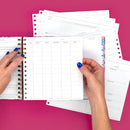
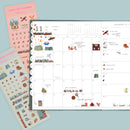
In this post, we’re walking through six simple planner layouts you can use in a Laurel Denise planner for monthly, weekly, and task planning. These layouts are designed around the core things most people want to track: schedules, travel, to-do lists, and a few optional extras like meal planning or habit tracking. No overdecorating, no pressure, just functional planning that fits real life.
Why Simple Planner Layouts Work
Most people don’t stop using their planner because they “don’t like planning.” They stop because their setup is too complicated to maintain.
Simple planner layouts work because they:
- Reduce decision fatigue
- Are faster to set up each month or week
- Flex with busy seasons instead of breaking down
- Make it easier to see what actually matters
You don’t need a separate spread for every category of your life. You need a layout that can hold your schedule, your tasks, and your priorities—clearly and consistently.
The Core Things Most People Plan
Before diving into the layouts, it helps to name the basics. Most planners want space for:
✅ Dates worth remembering: birthdays, anniversaries, holidays
✅ Schedule: appointments, meetings, school events, work shifts, travel
✅ To-Do Lists: both personal and work or school tasks
From there, some people also like space for:
✅ Braindrops
✅ Meal planning
✅ Workouts or habits
The six layouts below cover those needs in different ways, depending on how much structure or flexibility you want.
Simple Monthly Planner Layouts
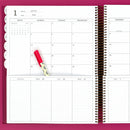
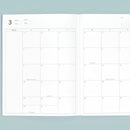
1. The Carmen: All-in-One Monthly Layout
Formerly called the Simple Monthly Planner, the Carmen is one of the most straightforward layouts available, and one of the most flexible.
This layout works especially well for someone who wants:
✅ A clear monthly overview
✅ Plenty of open space
✅ One place to see everything at once
In this setup, the month holds:
- Holidays, birthdays, and anniversaries
- Appointments and travel
- A running monthly to-do list
There is enough white space to add a braindrop, meal ideas, or notes if needed, but nothing is forced. Everything fits cleanly without feeling crowded, even for someone with a full schedule.
This is a great option if you want maximum simplicity with room to adapt.

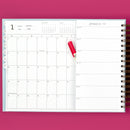
2. The Rose: A Categorized Monthly Planner Layout
The Rose layout is ideal if you like seeing your tasks grouped by category instead of one long list.
In this layout:
✅ The monthly calendar still holds schedule items, travel, and important dates
✅ The list sections are divided into categories, such as
- School or work tasks
- Personal to-dos
- Meal ideas
✅ A habit tracker can be used intentionally, for example to track family time or other priorities
This layout works well for people juggling multiple roles (work, school, family) who want clarity without micromanaging their days.

Simple Month + Weekly Planner Layouts
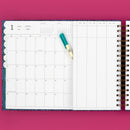
3. The Scout: Monthly Overview with Weekly Task Support
The Scout layout offers a strong balance between monthly visibility and weekly focus.
This setup includes:
✅ A month view for schedules, travel, and important dates
✅ A persistent monthly to-do list for big-picture tasks
✅ Categorized weekly sections that can be divided by week, project, meal planning, personal vs. professional tasks
The Scout works particularly well if you like planning in layers—seeing the month at a glance while still having space to break things down week by week.

4. The Nancy: A Schedule-Light Weekly Layout
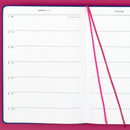
The Nancy layout gives you more room in the week and a smaller monthly view, making it perfect if your schedule is predictable or already tracked digitally.
In this layout:
✅ The month is used lightly, just key events and reminders
✅ The weekly pages are divided horizontally
✅ You can place:
- Your schedule on one side
- Meal planning on the other side
- To-do lists below or alongside your days
✅ Braindrop lists can live on the right-side of the month's spread
This is a great choice if you want your planner to focus more on tasks and planning flow than on time-specific scheduling.

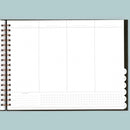
5. The Anne: A Time-Blocked Weekly Layout
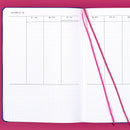
The Anne layout is similar to the Nancy, but with vertical columns that support time blocking.
This layout is ideal if you:
✅ Like to see how your time is actually used
✅ Work shifts or have long workdays
✅ Need to plan around energy levels
In this setup:
- Days are laid out in columns for time blocking
- To-do lists live below the schedule
- Meal planning has a dedicated space at the top
- Outlining blocks of time (like long work shifts) makes patterns obvious
Time blocking in the Anne often reveals where small adjustments—like meal prep timing—can make a big difference and help with time blindness.

Simple Task Planner Layouts
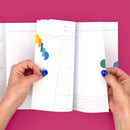
6. The Jo: A Minimal High Level Layout
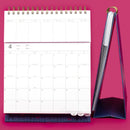
The Jo layout is our pop-up planner and works beautifully as:
✅ A family planner
✅ A work task planner
✅ A companion to a digital calendar
This layout focuses on:
- A high-level schedule
- Daily or weekly task lists
- Meal planning or notes at the top
- A full notes page in the back for braindrops or reference lists
Because the Jo stands up easily, it’s also great for shared spaces like a kitchen counter. Some people use it solely for tasks, or a family command center planner.

Choosing the Right Layout for You
If your life feels full, simplicity becomes even more important. A planner should help you get organized—not create another system you have to maintain.
Start with:
✅ One layout
✅ One month
✅ One clear purpose
You can always adjust later.
See These Planner Layouts in Action
If you’d like to see how each of these layouts is filled out in real time, you can watch the full OMG Planners YouTube video where we walk through all six setups step by step.

